Sales teams
Move from a new enquiry to the right follow-up with every detail still attached.
Ofaa connects every enquiry, itinerary, price and booking, so your team can focus on creating remarkable trips instead of chasing updates.

“The trip should be the thread that holds the whole agency together.”
 Built for modern tour operators
Built for every kind of travel business
Move from a new enquiry to the right follow-up with every detail still attached.

Turn inspiration, live inventory and pricing into one journey your team can operate.

Carry the confirmed plan into supplier coordination, bookings and traveller delivery.
Ofaa Agency OS is a travel agency CRM and trip planning workspace for tour operators and DMCs. Each enquiry becomes a Trip with its itinerary, Proposal and Booking connected.
Use it to evaluate a tailor-made trip workflow: reusable Contacts and Inventory, day-by-day planning, commercial review and an accountable handoff. If your priority is ticket distribution, live seat availability, OTA sales or online checkout, ask how your existing tools will cover those needs. This page does not establish those capabilities in Ofaa.
This is a fictional working example, not a customer story or a promise about results. No supplier availability or prices are implied.
Fictional example: two travellers ask for a five-day safari with a quieter final day. Create one Trip, link the customer Contact, assign the person responsible and record the next follow-up. The itinerary, Proposal and Booking belong to this Trip; they are not separate sales workspaces.
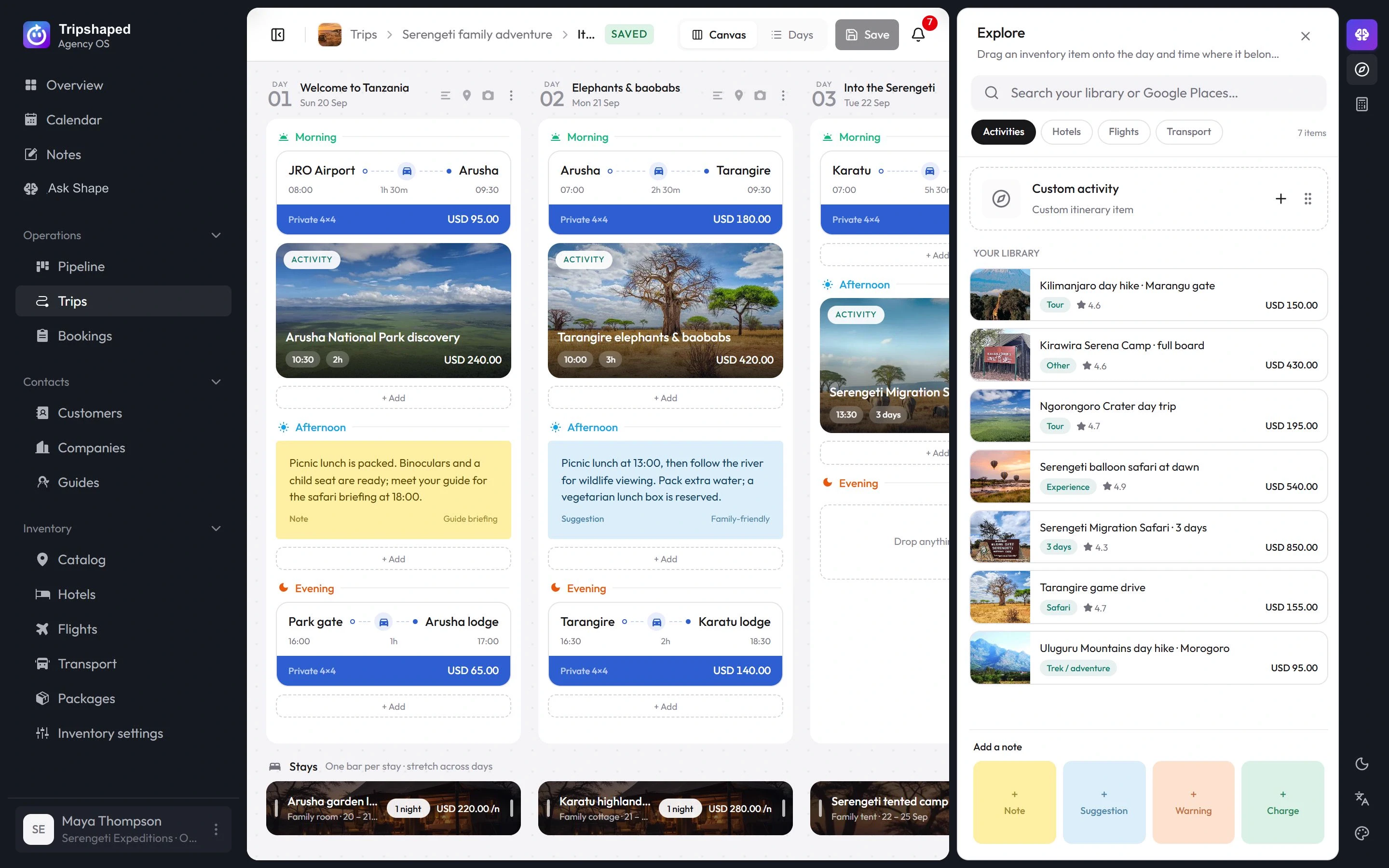
Arrange stays, activities and transfers on the day-by-day Trip Studio canvas, using reusable Inventory. In this example, the team moves the final activity to day four and leaves day five for departure. Check the transfer and supplier details before sharing the revised plan.
Suppose the chosen stay has no matching rate for the Trip. Keep that item unresolved while a person checks the supplier terms and records the appropriate rate. Ofaa does not convert currencies: confirm that the Trip and commercial Inventory use the intended enabled currency. A tidy itinerary is not proof that every cost is ready.
Check the itinerary, inclusions and commercial details before sharing. A shared link is read-only and shows an issued snapshot. If the team edits the working Trip afterwards, the previously issued version stays unchanged. Review and issue a replacement version when the customer needs the revision.
The traveller confirms directly with the agency. An authorized agency member creates the Booking from reliable confirmation information. Sharing a Proposal does not book the Trip or collect payment. Ofaa does not process the payment between the customer and agency.
Before passing the Trip to the next colleague, check its owner, next follow-up, current issued version and unresolved supplier details. Pilot can read relevant business context and prepare supported actions; a signed-in person confirms every write. Customer, money and commitment decisions stay with people.
Choose one representative trip, including a revision and an unresolved supplier cost. Prepare sample customer and supplier information without exposing private traveller details. List the formats you currently use, the people who approve changes and the currencies your team needs. Check any data-transfer requirements; do not assume automatic imports or a fixed migration time.
For a DMC, safari operator or small travel agency, test your own supplier and handoff workflow before deciding on fit. Regional terminology alone does not establish country-specific compliance or integrations.
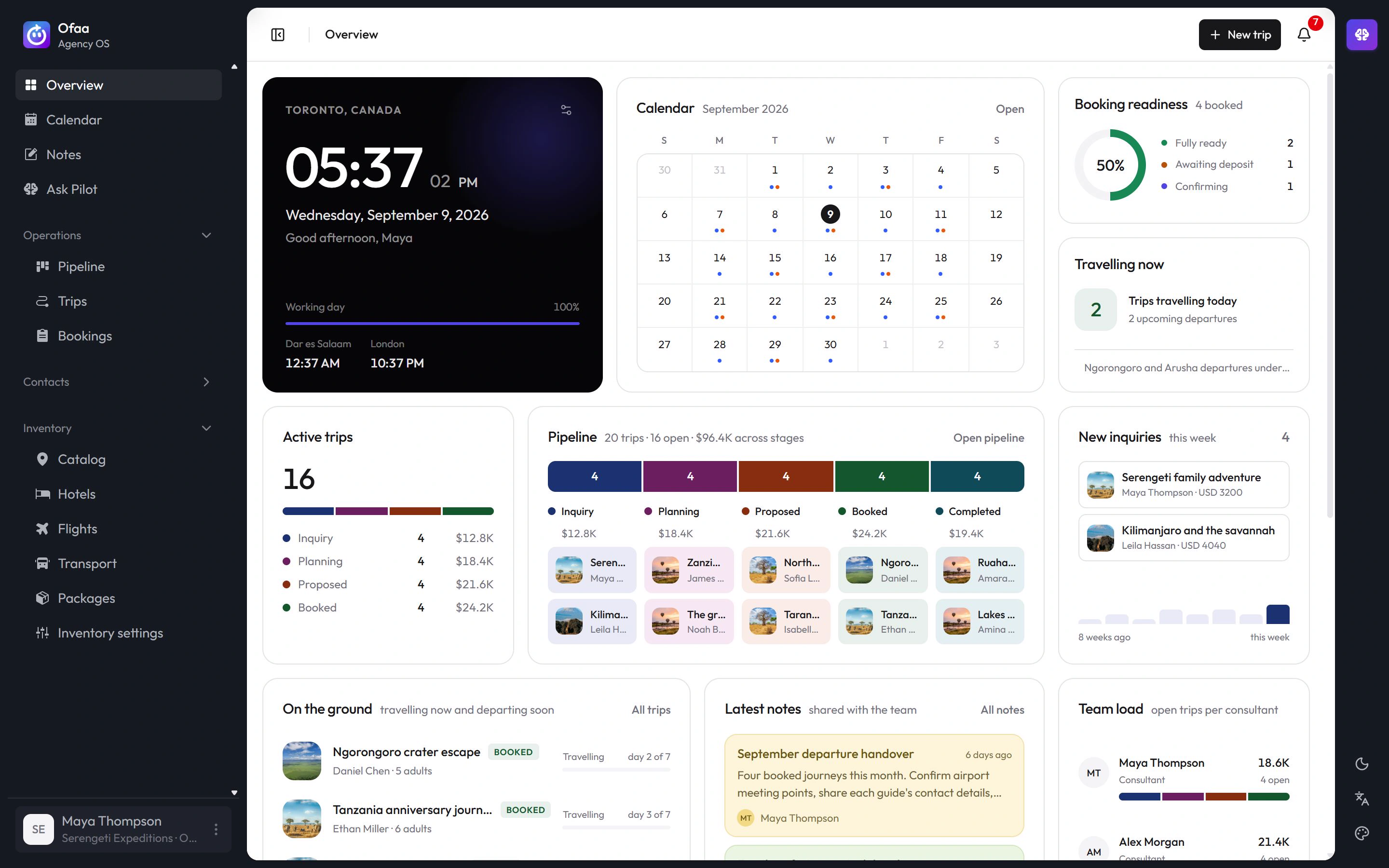
Ofaa carries context from the first enquiry to the final operational handoff without asking your team to copy work between tools.
Pilot works across your trips, contacts, notes, tasks and inventory. Ask a question or prepare an action, then review every change before it is made.
Book a demo (opens in a new tab)Connect the lead, traveller, trip and next action so the whole team sees the same commercial story.
Book a demo (opens in a new tab)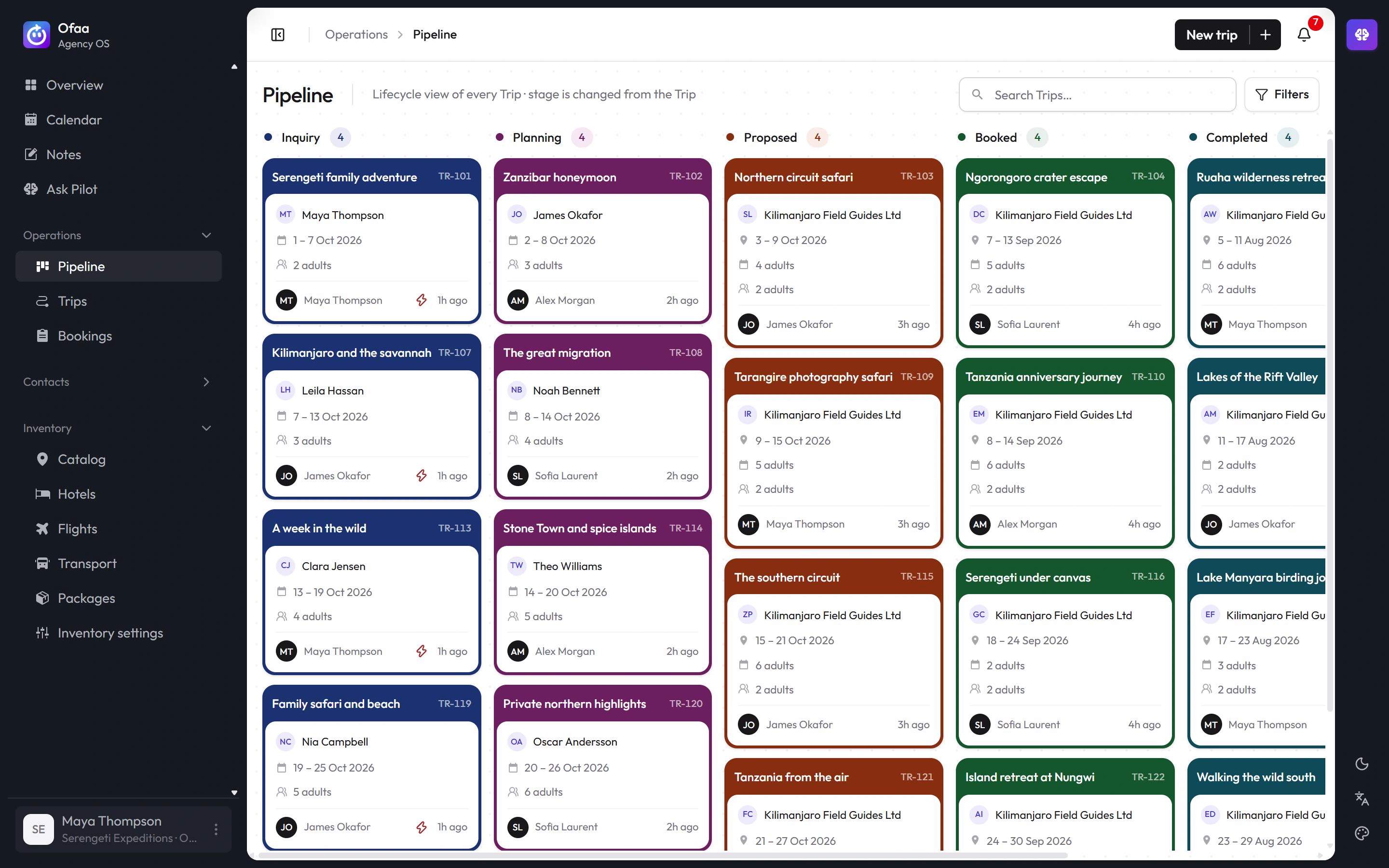
Create a draft, issue a numbered invoice and share a private customer link without rebuilding the trip or its commercial details.
Book a demo (opens in a new tab)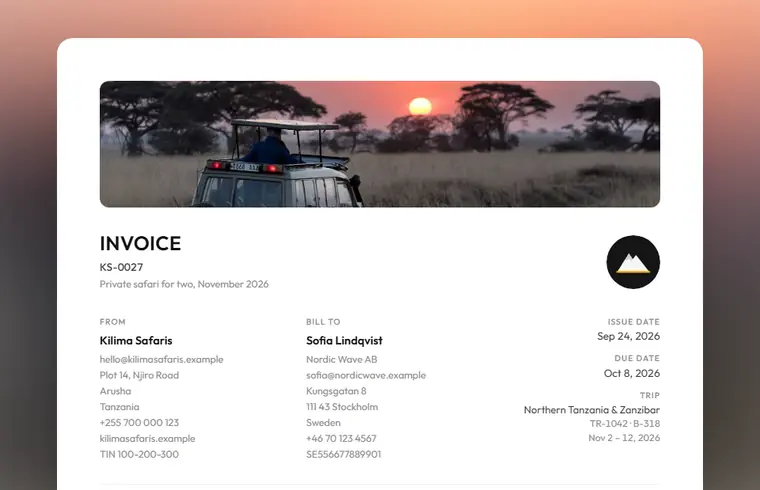
Organise your products, hotels, flights, transport and packages in one shared library, ready for the next journey.
Book a demo (opens in a new tab)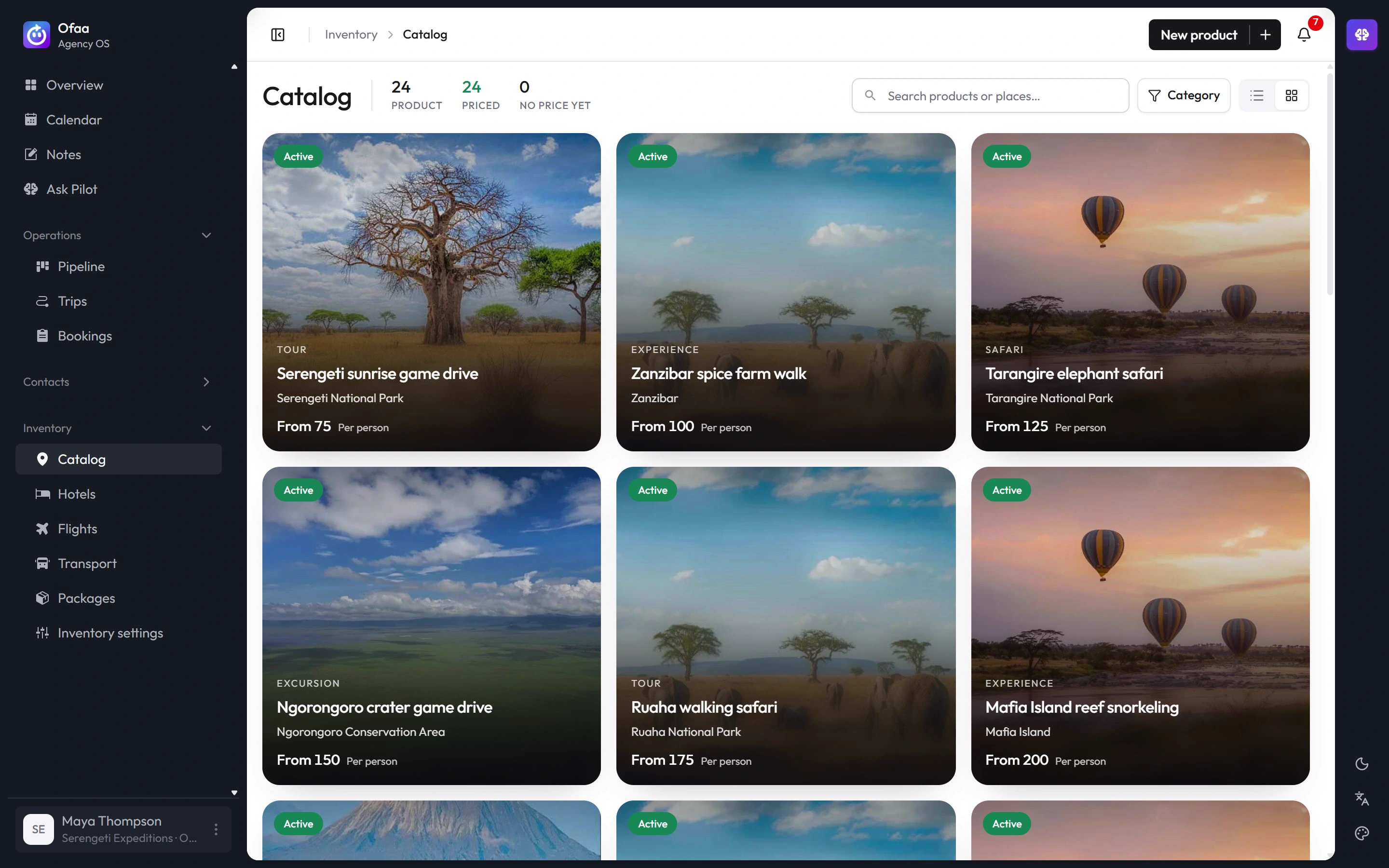
Arrange activities, stays and transfers on a day-by-day canvas. Build the whole itinerary in one connected Trip Studio.
Book a demo (opens in a new tab)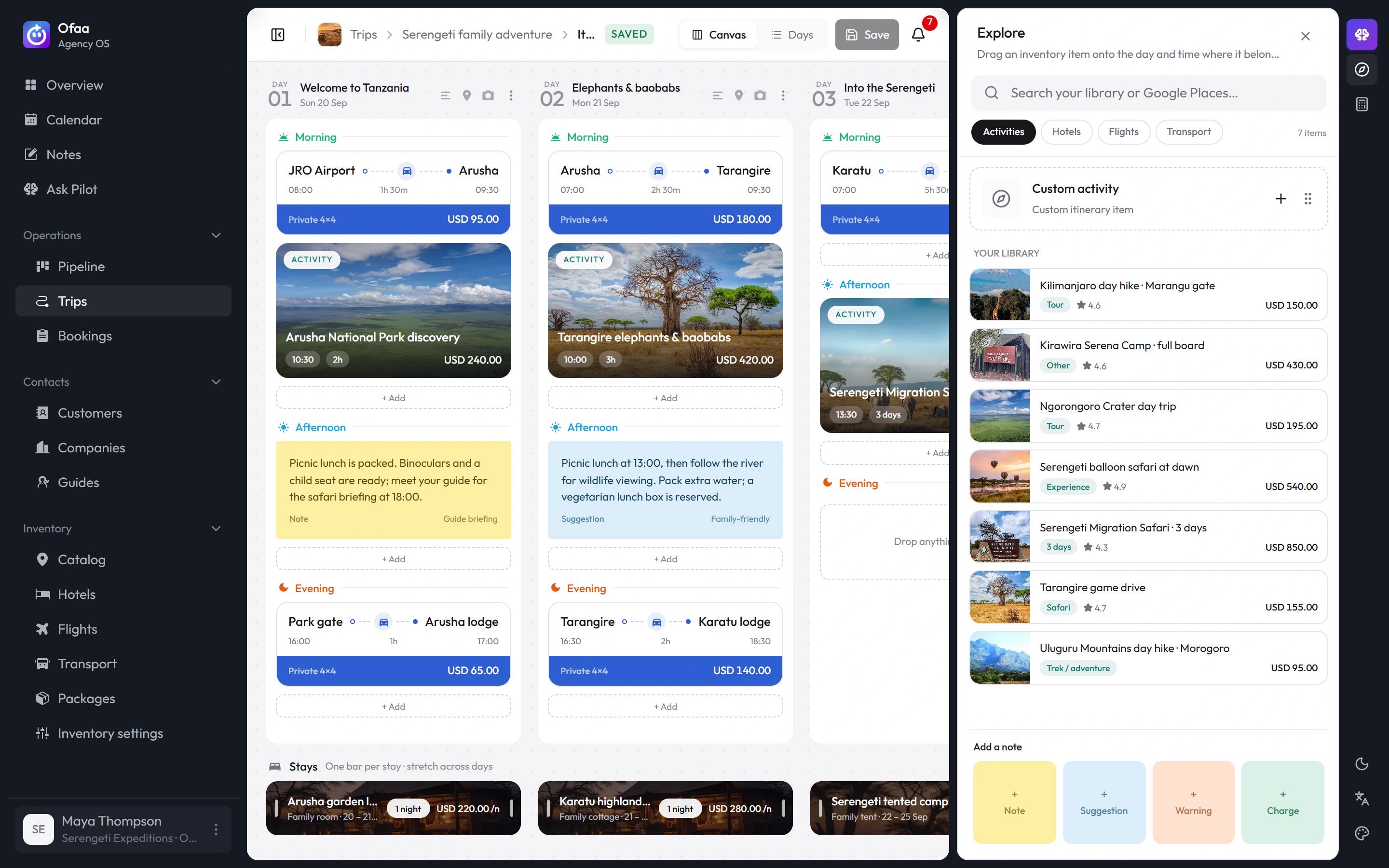

“We want every handoff, from the first enquiry to the day of travel, to feel like the same team is carrying the journey forward.”
Product principle · Ofaa Agency OS
Keep the traveller, itinerary, quote and booking linked without flattening the detail.
Design with the products, contracts and rates your agency actually sells.
See costs, margins and missing-rate reasons while the itinerary is still fluid.
Put tasks, follow-ups and recent context beside the lead instead of in another tool.
Ask Pilot to summarise and prepare work while your team confirms every action.
Each workspace keeps its own job while sharing the same travellers, trips, inventory and commercial context.
The essential operating system for a small agency.
AI assistance and more team seats for a growing agency.
Higher limits and priority support for established agencies.
A few clear answers before we map your workflow together.
Ofaa organizes an enquiry as one Trip, with its itinerary, Proposal and Booking in the same workflow. Contacts and Inventory remain reusable across Trips.
Do not assume automatic import. Before moving existing contacts or rates, confirm which data and formats can be transferred and what needs manual preparation.
Missing or mismatched supply is reported as a pricing gap, rather than a zero price. Lines round half-up to two decimal places before the total is summed. Ofaa does not convert currencies.
No. Ask Pilot can read relevant business context and propose a limited set of actions. A signed-in person confirms every write; Pilot does not make customer, money or commitment decisions by itself.
No. Shared links are read-only. The customer confirms directly with the agency, and an authorized agency member creates the Booking. Ofaa does not process the payment between the customer and agency.


Bring one real trip. We’ll show you the operating system around it.
Book a 30-minute demo (opens in a new tab)